How to Organize Courses with Channels: A Practical Guide for Educators
By Michael Abu ·
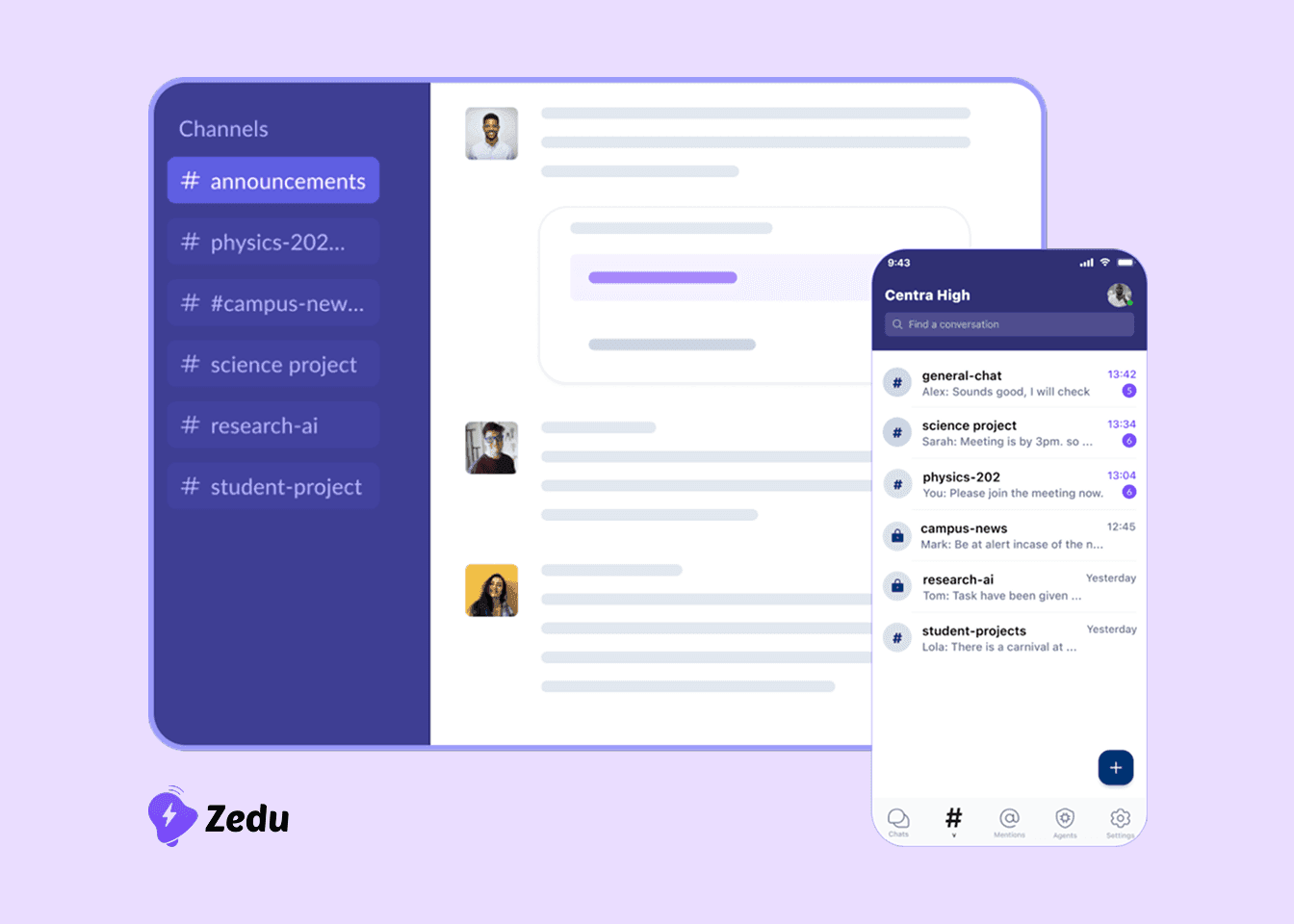
A course is easier to follow when every topic has a place to live. Put announcements, questions, readings and banter in one chat and students spend their time scrolling instead of learning. The deadline reminder sits between a meme and a reading list, and the same question gets asked three times.
Channels solve this by giving each course, cohort or topic its own space. Zedu's Channels are built around that idea, so students and educators always know where a conversation belongs.
This guide shows how to choose the right channels, name them, set a few simple rules, and use threads and files so a course stays easy to follow from the first week to the final assessment. It works for a single class or a whole department, and you can try every step on Zedu's free Starter plan.
Why course discussions get messy
Most course chats start with good intentions and drift in the same three ways.
- Official and unofficial mix. An announcement about a moved deadline looks exactly like a casual reply, so students miss it or doubt it.
- Questions repeat. When answers are scattered through a long timeline, nobody finds them, so the same question returns every week and staff answer it again.
- Materials get buried. Readings and slides are posted once and vanish under newer messages.
The bigger the course, the worse it gets: more students, more teaching staff and more sessions share the same stream. Zedu describes Channels as working from small classrooms to large university programs, and the fix is the same at every size. Give each kind of conversation its own home.
Start with the unit you teach
Before you create anything, decide what one channel stands for. Pick the unit your students already think in:
- A course or module, common in universities, schools and colleges: one set of channels per course.
- A cohort or intake, common in bootcamps and training programs: one set per cohort, with channels for tracks or teams inside it.
- A topic or project, for work that cuts across courses: a channel for the project group or the topic.
A useful test: create a channel for anything students will need to find again. If a conversation will not be revisited, it belongs in a general channel.
Larger institutions can go a level up. Zedu's universities page describes department workspaces that keep academic organizations separate while keeping everything connected, so each department can run its own channels without losing the wider picture. Smaller classes should start with fewer channels and add more only when a topic proves it needs its own space.
A channel structure you can copy
This starter set works for most courses. Swap the prefix for your course code or cohort name so the channels sort together.
| Channel | Purpose | Who posts | Example name |
|---|---|---|---|
| Announcements | Deadlines, schedule changes, assessment instructions | Teaching staff | cs101-announcements |
| General | Introductions, social chat, anything off-topic | Everyone | cs101-general |
| Questions | Course questions, answered in threads | Everyone | cs101-questions |
| Resources | Readings, slides, links and recordings | Teaching staff, plus students sharing useful finds | cs101-resources |
| Assignments | Briefs and clarifications for each assignment | Staff post briefs; students ask in threads | cs101-assignments |
| Team channels | One per project team, for work that needs focus | Team members and mentors | cs101-team-green |
In Zedu, teachers, professors and mentors can post announcements directly inside the relevant channel, so the official channel stays separate from the chatter. Zedu's universities page also describes role-based permissions that control who can manage channels, announcements and classes. Use them to decide who manages channels and who posts announcements.
Rules that keep channels tidy
Structure only works if people follow it. Five small rules do most of the work:
- Name channels consistently. Start with the course code or cohort, then the purpose. Students learn the pattern once and can guess every other name.
- Say what each channel is for. Pin a short welcome message stating its purpose and what does not belong there.
- Decide who posts where. Keep announcements to staff so students can trust that everything there is official.
- Set a response expectation. For example, questions are answered within one working day. Students are more likely to ask when they know when to expect an answer.
- Keep the count manageable. If students cannot name your channels from memory, you probably have too many.
Use threads and keep files with the course
Answer in threads. Zedu's channels support threaded replies, which let people respond directly to a specific message. In a questions channel, that means the question and every answer to it stay together, so a student who arrives later reads one thread instead of piecing together a conversation. Ask staff and students to reply in the thread instead of posting a new message.
Keep files with the course they belong to. Zedu's File Management guidance is to use folders by course, department or cohort, so each class has a clear structure and students can quickly find the right materials. Files can also be shared directly inside channels and conversations, which keeps the context attached to the lesson where the file is used. Search covers topic, class context and file name, so materials stay findable as the library grows.
A simple routine: post a file where it will be discussed, and make sure it also sits in the right course folder, so it is easy to find next week or next term.
Review the structure as the course runs
A structure is a first draft. Check it at the midpoint of each term or program:
- Which channels are quiet? Merge them into a related channel.
- Which are overloaded? Split a busy questions channel by topic or assignment.
- Where do students still ask "where should I post this?" That signals an unclear purpose. Reword the channel's pinned welcome message or rename the channel.
Make changes between units rather than mid-week, and tell students what moved. At the end of a course there is no need to tear anything down. Zedu's universities page says course discussions, resources and insights remain searchable and accessible for future reference, which helps when you teach the course again.
Checklist: set up a course in one sitting
- Decide what a channel stands for: a course, a cohort or a topic
- Create announcements, general, questions, resources and assignments channels
- Add team channels only for projects that need them
- Agree a naming pattern and apply it to every channel
- Pin a welcome message in each channel stating its purpose
- Decide who can post announcements and set permissions to match
- Tell students to answer in threads, not new messages
- Put course files in folders by course or cohort and share them in the channel where they are used
- Set a response expectation for the questions channel
- Put a midpoint review in your calendar
Try it in Zedu
Zedu's free Starter plan includes organized learning channels, basic messaging and threads, file sharing and up to 3 cohorts, so you can set up a real course this week with no credit card.
Keep reading and exploring
- Running Active Class Discussions: get students talking once your channels are set up
- Using an AI Assistant for Learning: catch-up summaries and quick answers
- Zedu for universities
- Zedu for bootcamps
- Zedu for schools
- Zedu File Management
- Zedu pricing
- Book a demo: planning a larger rollout?